Oven guide
Placeholder text: this guide hasn't been written yet. What you see below is filler, not the real guide.
Quick start
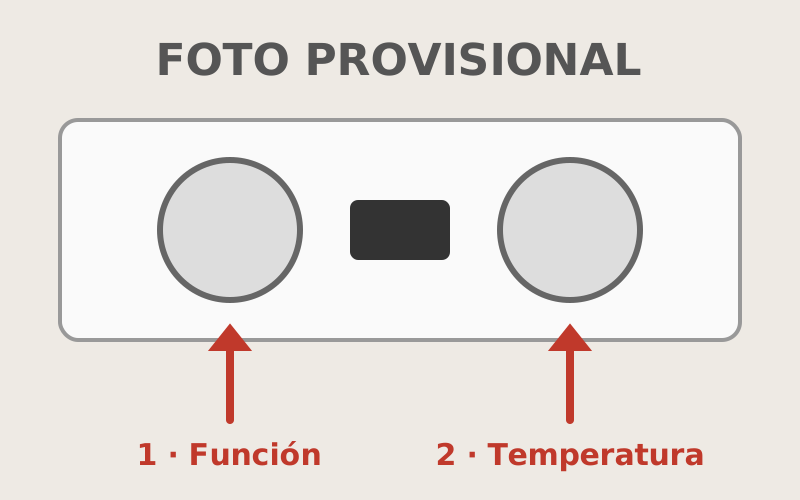
- [Placeholder] Turn the function knob (1) to the top-and-bottom heat symbol (two lines).
- [Placeholder] Turn the temperature knob (2) to the degrees you want. The orange light goes off when the oven is hot, in about ten minutes.
- [Placeholder] When you have finished, turn both knobs back to 0.
More options
[Placeholder] Fan oven
[Placeholder] The fan symbol spreads the heat evenly: it is good for baking on two trays at once. Set it about 20 degrees lower than the recipe says.
[Placeholder] Grill
[Placeholder] The symbol of a line with spikes only heats from the top. Keep the door closed and stay close: it browns in a few minutes.
[Placeholder] Trays and racks
[Placeholder] There is a deep tray and a rack inside the oven, and baking paper in the drawer underneath.
If something goes wrong
[Placeholder] The oven doesn’t heat up.
[Placeholder] Check that neither knob is on 0. If the clock display is flashing, the oven is waiting for you to set the time: press both clock buttons together.
[Placeholder] The power trips when you turn it on.
[Placeholder] Turn off the oven and the hob, flip back up the switch that went down in the fuse box by the front door, and turn on only the oven. If it trips again, don’t use it and let us know.
Still not working? Write to us through the link we sent you on WhatsApp.
Did this guide help?